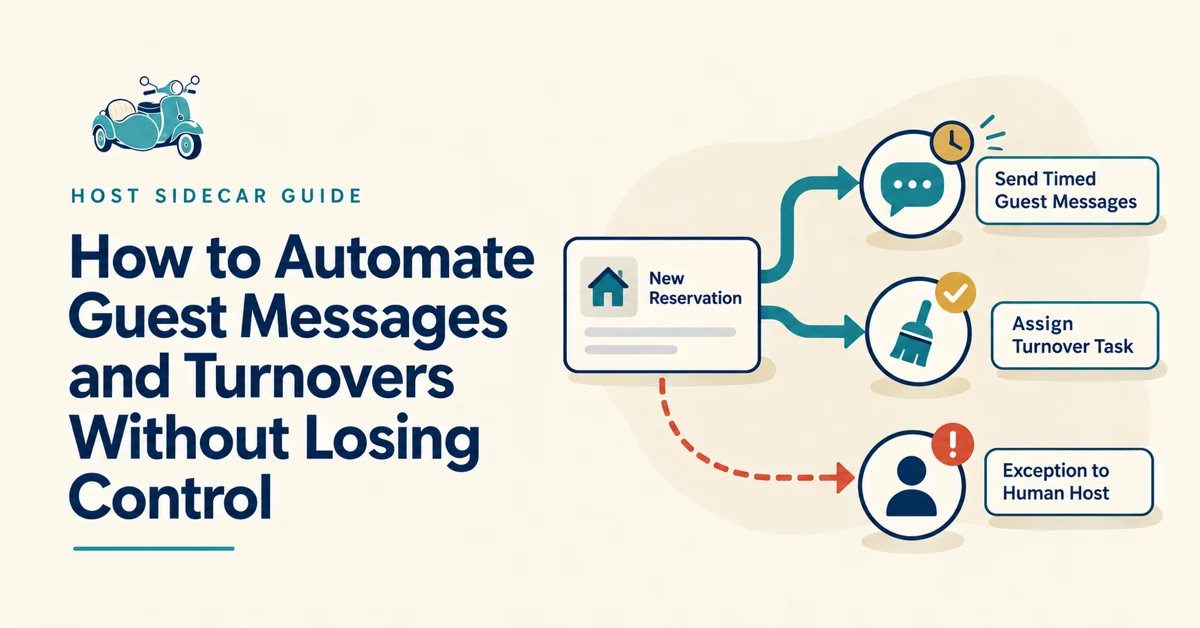
To automate guest messages and turnovers, connect routine tasks to verified reservation events, define who confirms property readiness, and route exceptions to a person. Keep property facts, timing, and local-team responsibilities current before activating the workflow.
How to put this into practice
- List the messages and tasks that repeat for nearly every reservation.
- Set the booking, arrival, checkout, change, or cancellation trigger for each.
- Assign turnover ownership, backup coverage, and a readiness check.
- Test close-to-arrival bookings, changed dates, guest replies, and cancellations.
Summary
- Schedule the routine messages guests need, using current property information.
- Tie turnover assignments and updates to reservation changes, with a clear readiness owner.
- Keep exceptions and service recovery human; measure fewer unnecessary touches, not more automations.
Owner-hosts can reduce guest messaging and turnover coordination by giving repeatable work a dependable system—while keeping exceptions, standards, vendor relationships, and final decisions with the owner.
Start here:
Identify the messages and turnover tasks that repeat with nearly every stay.
Set those tasks to happen from a reservation event or calendar change.
Keep a clear review point for changes, special requests, and property issues.
Give cleaners and helpers the information they need without making them chase it.
Review what still requires manual follow-up, then improve that part of the system.
The objective is not to remove the owner from the operation. It is to stop rebuilding the same process for every reservation.
Why do guest messages become repetitive?
Most guest communication follows predictable moments in a reservation:
Booking confirmation
Pre-arrival preparation
Access and arrival
The first night or first morning
Checkout
A question already answered in the listing, guide, or prior message
The burden includes remembering timing, finding current property details, checking what was sent, and adjusting the plan when a reservation changes.
Operating strategy: Write and schedule the messages that are appropriate for a normal reservation. Leave room for the owner to review, alter, or send a personal response when the stay is not normal.
Platform fact: Airbnb’s scheduled quick replies can send messages based on triggers such as a new reservation, check-in, or checkout. Hosts can review a reservation’s message timeline and skip, edit, customize, or send an upcoming message early. Airbnb: Create scheduled quick replies and send them to guests automatically
Which guest messages should be systematized?
Booking confirmation
Confirm that the reservation is received, thank the guest, and explain when they will receive arrival details. Avoid putting every instruction into the first message.
Pre-arrival information
Send the details guests need to prepare: address context, parking, what to bring if relevant, and the timing of access information.
Arrival and access instructions
Give guests a clear, scannable arrival message at the appropriate time. Cover the entrance, access method, parking, after-dark considerations, and what to do if access does not work.
Stay reminder or check-in
A short message can ask whether arrival went smoothly and point guests to the best way to raise a real issue. It should not create an expectation of instant responses to routine questions at all hours.
Checkout instructions
Keep them concise, specific, and aligned with the property’s actual turnover needs.
The best sequence is the smallest set of timely, property-specific messages that prevents predictable uncertainty.
How can arrival information reduce avoidable messages?
Guests often ask “quick questions” because the answer was hard to find, came too early, or was buried in a long message.
Use one consistent arrival format and organize it around the moment of arrival:
Exact location and any landmark or driveway clarification
Parking instructions
Entry method and access-code timing
What to do after entering
The first detail guests may need, such as Wi-Fi or thermostat guidance
The right escalation path if something is wrong
If the property has a detail that depends on local knowledge—a shared drive, seasonal road conditions, an older lock, or a quiet-hours relationship with nearby residents—write that information plainly. Those are exactly the details that should not be lost in generic templates.
Keep the property guide and operational messages aligned. If parking instructions change in one place, update them everywhere the guest or local team may rely on them.
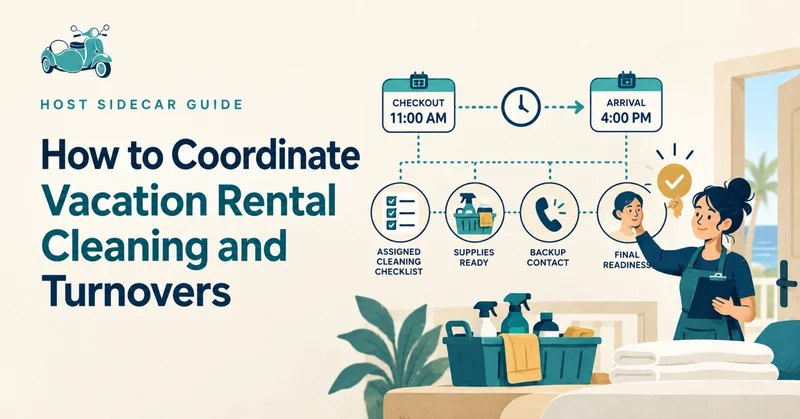
How can I coordinate turnovers without sending constant reminders?
Turnovers become stressful when booking information, cleaner instructions, calendar changes, and property notes are scattered across messages.
Create one dependable turnover record for each departure and make sure it includes:
Checkout date and time
Next check-in date and time
The available cleaning window
Guest count or stay-specific context, where relevant
Current property notes
The person responsible for confirming completion
The escalation path if the cleaner finds an issue
Use a calendar invitation and a turnover checklist so the local team has the current plan before someone has to chase it.
Operating strategy: Treat a turnover as a property-readiness event, not merely a cleaning appointment. The cleaner may complete the work, but the system should also make the next arrival deadline, exceptions, and owner decisions visible.
What should happen when a reservation changes?
A system that works only when reservations are perfect will eventually create more work than it saves.
For common changes, decide what can update automatically and what should trigger owner review.
New reservation
System response: Create the guest communication and turnover plan.
Owner or local-team judgment: Review unusual stay details or requests.
Date change
System response: Update the calendar, tasks, and cleaner visibility.
Owner or local-team judgment: Confirm the new turnover window works.
Cancellation
System response: Remove or revise future tasks.
Owner or local-team judgment: Decide whether to use the opening for maintenance, pricing, or calendar adjustments.
Early arrival request
System response: Flag the request.
Owner or local-team judgment: Approve only when readiness supports it.
Cleaner-reported issue
System response: Notify the designated decision-maker.
Owner or local-team judgment: Decide on repair, replacement, guest communication, or escalation.
The important operational question is not only “Did the calendar update?” It is “Who now needs to know, and what decision still needs to be made?”
What should stay human?
Automation is useful when it handles known, repeatable work. It is not a substitute for local judgment or service recovery.
Keep these decisions human:
Exceptions to house rules or normal arrival timing
Guest concerns that require empathy, context, or a remedy
Refund, discount, or spending decisions
Property damage, maintenance, or safety decisions
Vendor relationships and quality feedback
Local recommendations that depend on current conditions
Final readiness standards before an important arrival
What is the difference between software capability and an operating layer?
A property management system or messaging platform can provide capabilities: calendars, templates, triggers, task lists, channels, and notifications.
Those capabilities need property-specific configuration, maintenance, and review as the operation changes.
Host Sidecar configures and maintains the connections around your PMS and local team: property information, message timing, alerts, task ownership, and follow-through.
For example, a software tool may be able to send an arrival message. The operating layer determines:
Which arrival details belong in that message
Whether the information is current for this property
When the message should send for normal and last-minute bookings
What happens when the guest asks for an exception
Who sees a related turnover or maintenance issue
How the owner is kept informed afterward
Platform fact: Hospitable distinguishes between event messages, scheduled messages, and question rules; its documentation also notes that manual messages can cancel a delayed automated message in certain configurations. Hospitable: Messaging Rules Overview and Hospitable: Messaging Rule Settings and Options
The operating lesson is simple: turn automation on only after the rules, timing, ownership, and exceptions are clear.
How can owner-hosts improve the system over time?
Use recurring questions and avoidable follow-ups as operational feedback.
If guests repeatedly ask where to park, improve the parking instructions. If a cleaner regularly needs the same clarification, add it to the turnover record. If a reservation change creates confusion, add a clear notification or review step.
A simple monthly review can ask:
Which guest questions required a manual response?
Which turnover details were missing or unclear?
Did any booking change create duplicated or missed work?
Where did a local helper need to wait for information?
Which routine tasks still depend on the owner remembering the next step?
What should be revised before the next busy period?
How do I know whether the system is actually reducing work?
Do not measure success by the number of automations turned on. Measure whether the property requires fewer unnecessary touches while standards remain clear.
Track a few practical indicators:
Manual guest replies per stay
Cleaner clarification requests per turnover
Reservation changes that require manual repair of the plan
Issues discovered too late to address comfortably
Owner time spent on routine coordination each week
Repeat questions that should be answered earlier or more clearly
Reserve attention for the work that benefits from experience, local knowledge, and judgment.
Find more revenue in the property you already have.
Explore the Free Booking Opportunity Review for three practical recommendations based on one public listing and guest feedback. No software connection required.
Putting this into practice? Explore reservation-based access and property workflows.
Frequently asked questions
Which guest messages are suitable for automation?
Predictable information such as booking acknowledgments, verified arrival details, and checkout reminders can be scheduled. Questions, complaints, and unusual requests need a clear human handoff.
Can automated cleaning notifications confirm the property is ready?
No. A notification creates or updates work; someone still needs to acknowledge the assignment, confirm completion, and report issues before arrival.